
Description
Choose your version
- WordPress (Elementor): a template kit you import into WordPress and edit visually with the free Elementor plugin.
- HTML: the same design as clean HTML and CSS files. Upload them to any web host; no WordPress, plugins or database needed. Edit with any code editor.
- Both versions: get both downloads.
WordPress (Elementor) version
Give your restaurant a website as warm as your dining room.
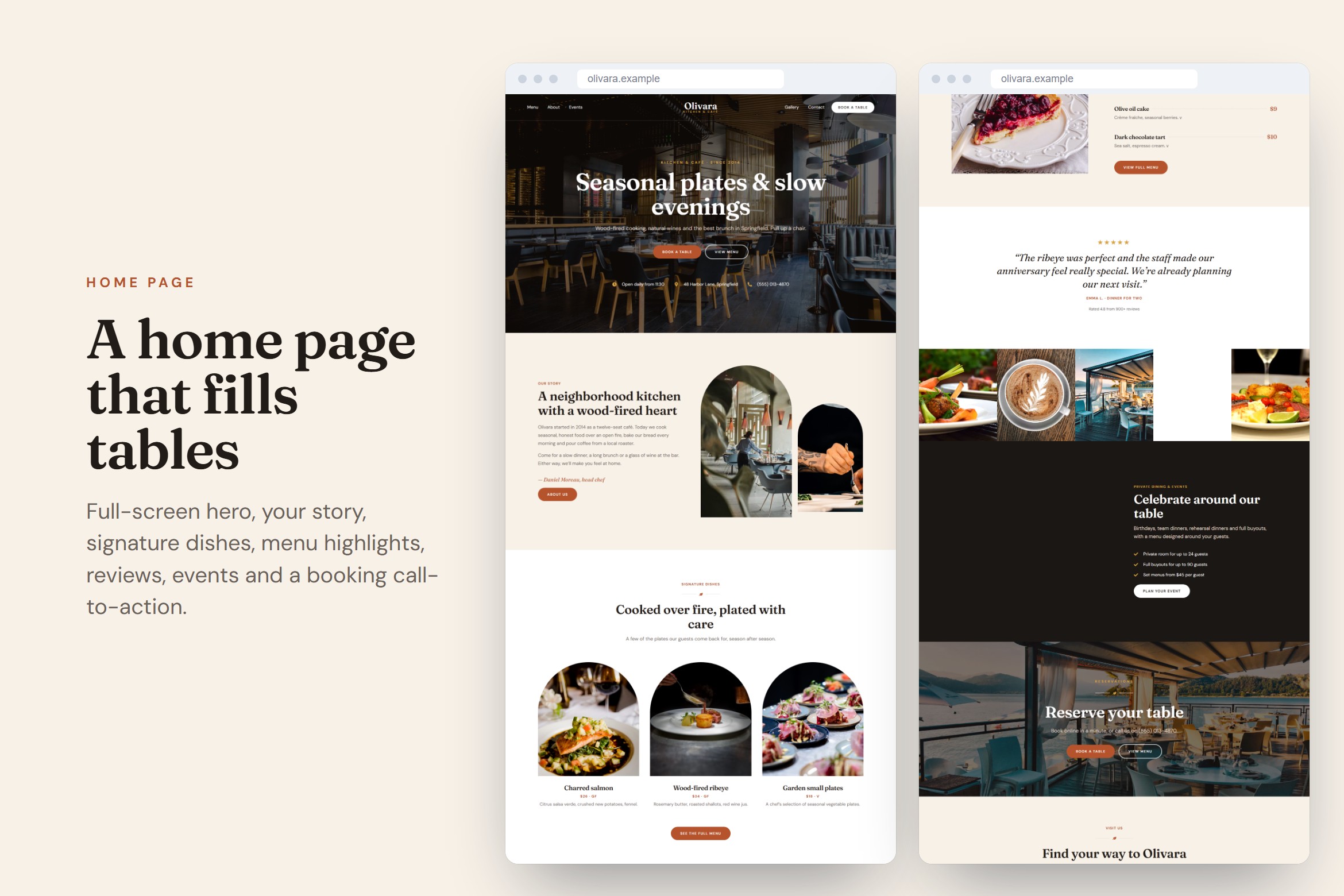
Olivara is a complete Elementor website kit for restaurants, cafés, bistros, brunch spots and wine bars. Full-screen photos, elegant serif typography, arch-shaped photo frames and a printed-menu style price list make your food the star.
What's included
- 8 pages: Home, About, Menu, Reservations, Events, Gallery, Contact, 404
- One-click import of the whole site (Elementor Website Templates)
- The same pages as separate templates
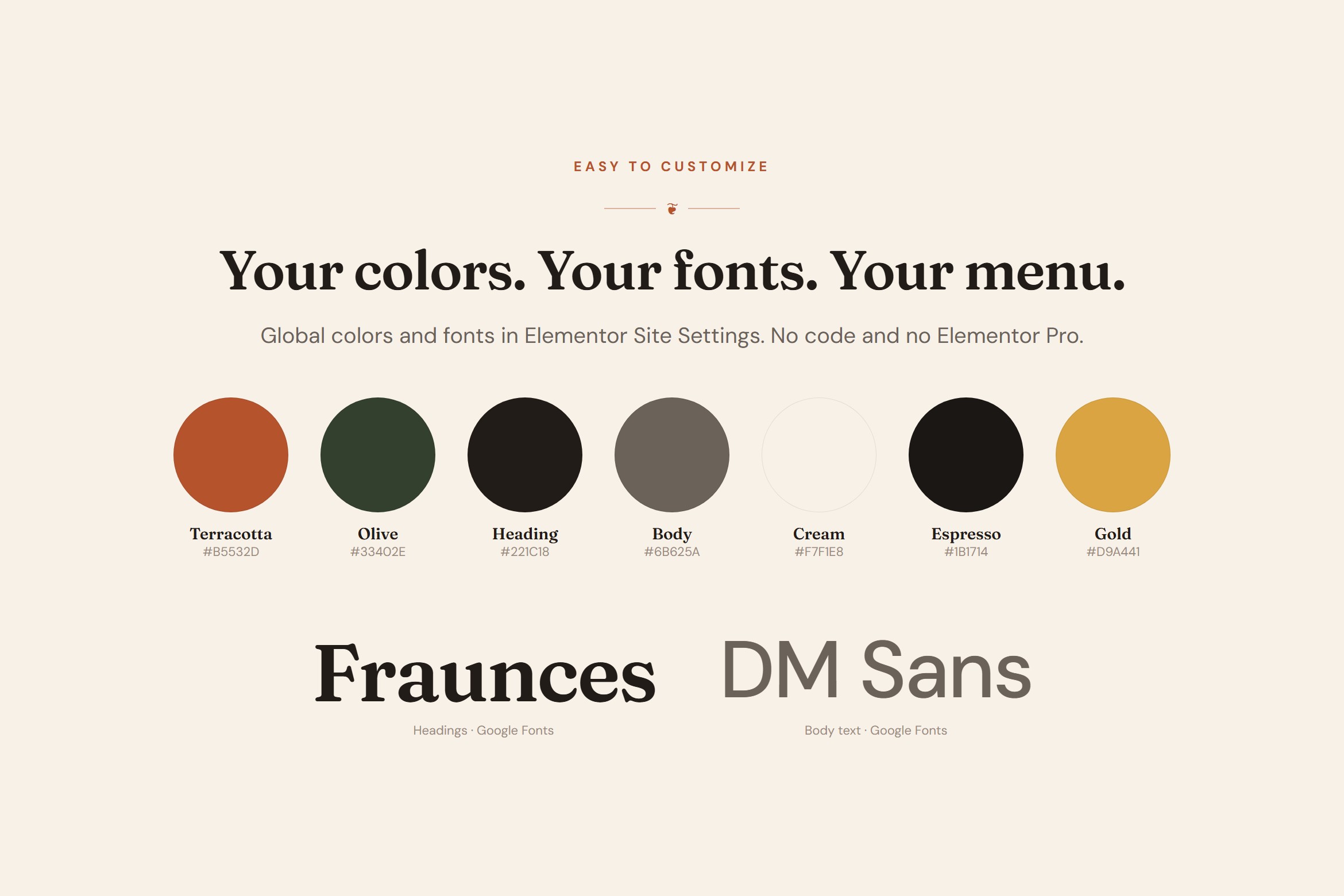
- Global colors and fonts: change your brand once, the whole site updates
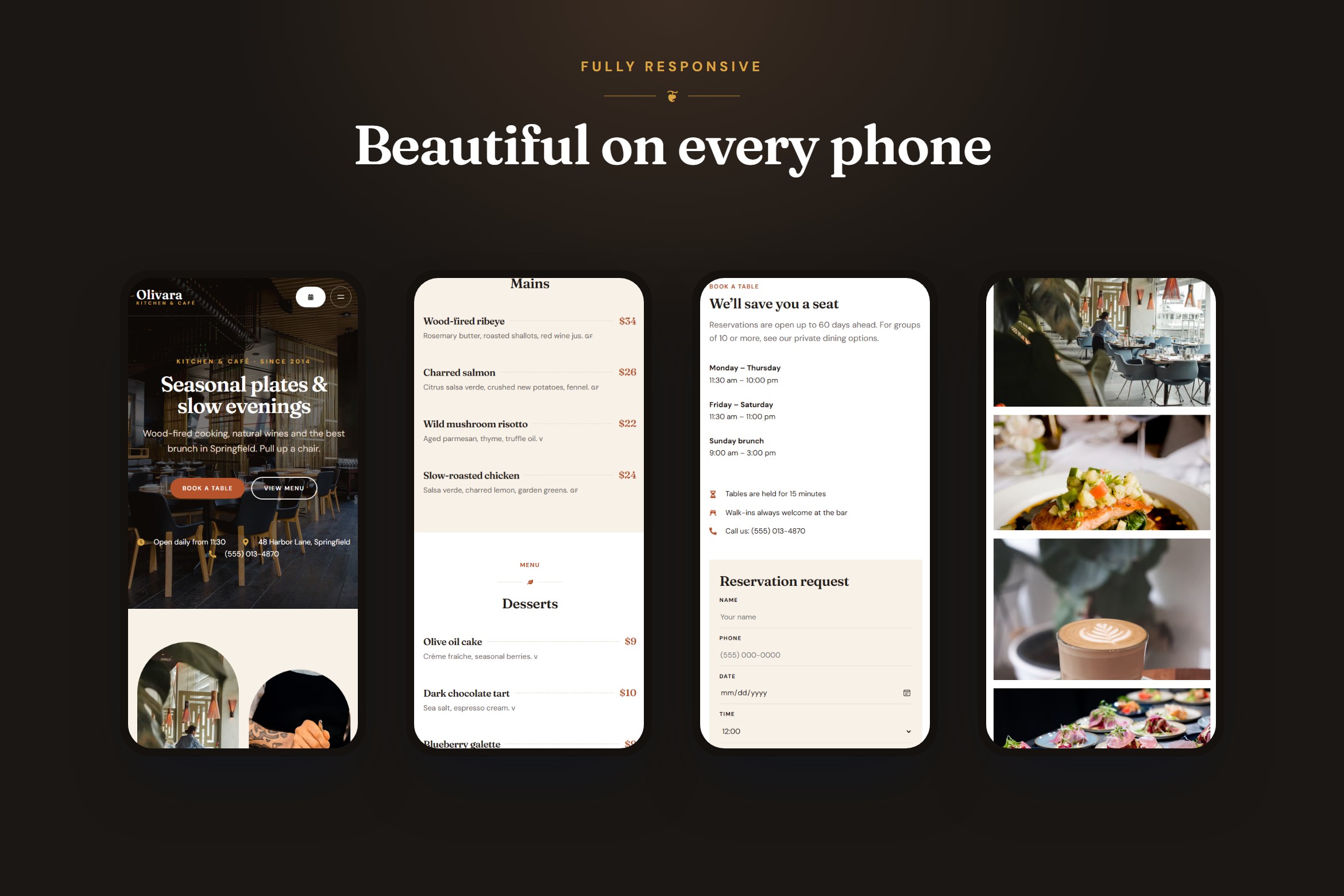
- Transparent header over full-screen photos, plus a mobile menu
- Step-by-step guide (HTML)
Made for restaurants
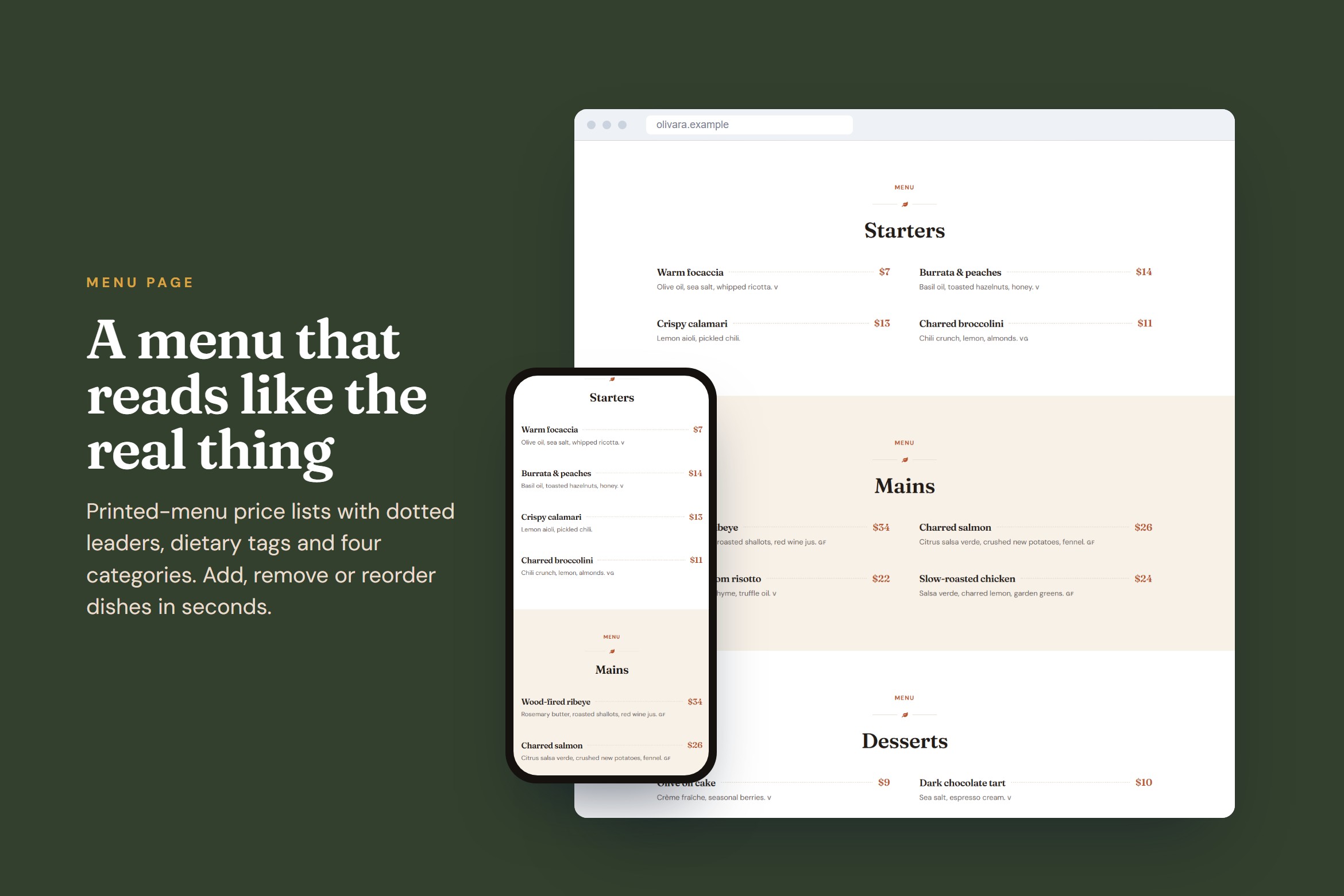
- Food menu with dotted price lines and dietary tags (V, VG, GF), easy to extend
- Reservation page with booking form layout, hours and FAQ
- Private dining & events page with set-menu prices
- Masonry photo gallery, signature dishes, chef quote and reviews
- "Visit us" section with hours, location and contact, plus a map on the Contact page
Works with the free tools
- Elementor (free) 3.20+, tested with 4.3.5
- Hello Elementor theme (free)
- Elementor Pro is not required
Fonts and icons: Fraunces and DM Sans (free Google Fonts) and Font Awesome icons included with Elementor.
Please note: photos are not included; the kit uses placeholder images so you can add your own food and room photos. The booking and contact forms are design blocks; connect them to a free form or booking plugin (see the guide). All names, dishes and prices in the demo are fictional.
HTML version
- The same pages and design as the WordPress version
- Plain HTML5 and one CSS file; brand colors and fonts are variables at the top
- Responsive for phone, tablet and desktop, with a mobile menu
- No frameworks and no build tools; one small script for the menu
- Labelled placeholder images so you know where each photo goes
- Step-by-step guide for editing and going live